
Finding EV Charging Stations with the ChargePoint App
Modified on: Thu, Dec 18, 2025 at 7:42 AM
SFM recommends using the ChargePoint app to locate charging stations where the ChargePoint card is accepted for payment.
To view charging stations, follow the steps below. A brief video of the app is also available to watch:
- Download the ChargePoint app.
- Log in or sign up for the app - If you aren't logged in, you will not see the stations in the ChargePoint roaming network.
- Select appropriate filters-many of these will be user and situation dependent. The two worth calling out are Connectors and Networks. If you are not seeing any stations and you expect to, this is likely due to additional filters being toggled on. The app hold previous selections in most cases, so be sure to review them each time if you make different selections.
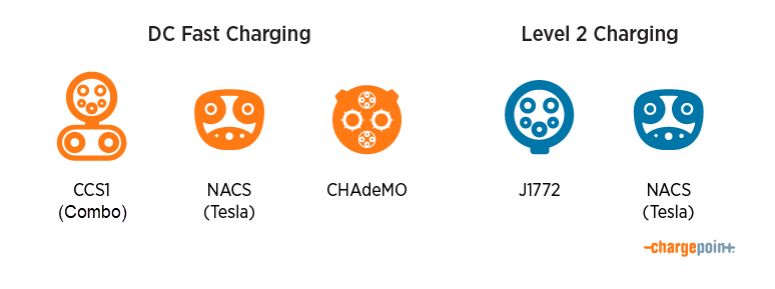
- Connectors-Make sure you understand what type of connector your vehicle has. Most charging ports in our fleet are CCS1/Combo or J2772. Select the appropriate connecters in the app.
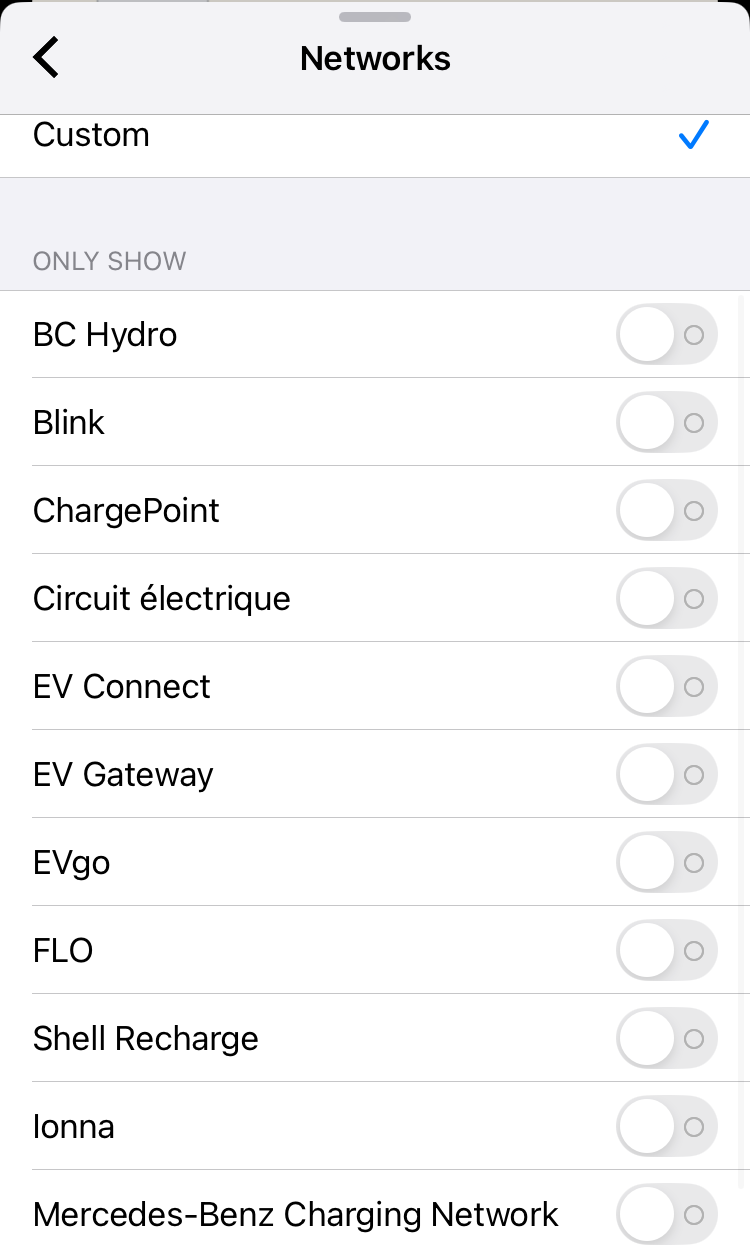
- Networks-Select "All Networks", however, it's a good practice to click Custom just to make sure the list displays the roaming networks. Be sure you re-select "All Networks".
- Connectors-Make sure you understand what type of connector your vehicle has. Most charging ports in our fleet are CCS1/Combo or J2772. Select the appropriate connecters in the app.
Did you find it helpful? Yes No
Can you please tell us how we can improve this article?
Not what you were looking for? Try a search!